🔒 Wireguard VPN Client Setup
Purpose
This document describes how Unibeam customers install and configure Wireguard VPN clients to securely connect to AWS-hosted resources in multiple regions.
Wireguard VPN Overview
Customer needs to install Wireguard VPN Client on the device. 🔗 https://www.wireguard.com/install/ Wireguard configuration file is provided by Unibeam. Each customer will receive 2 configuration files, one for each region (US-East-1 and US-West-2). Since both regions are Active-Active, customer can connect to either region based on their preference.
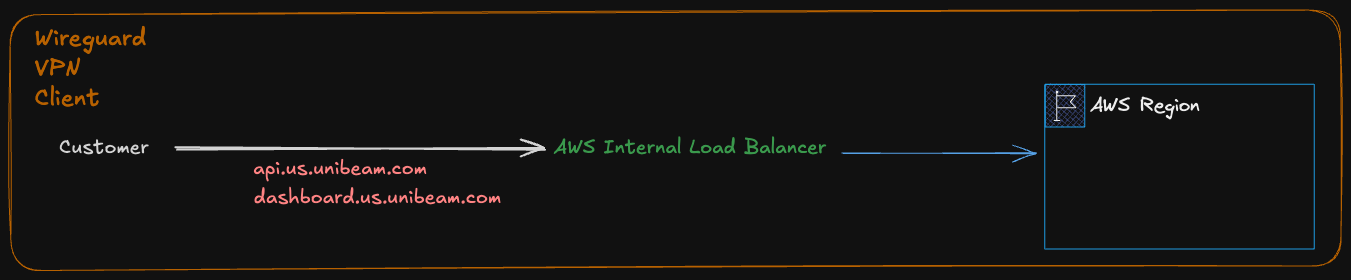
Wireguard Server/Client Configuration:
Wireguard server is hosted on AWS EC2 instances (Mikrotik with public IP), one for each region. * Port 13231 UDP is allowed for Wireguard traffic from public * Each client has a unique public key, IP Address (Internal IP), which is used to establish the VPN connection. * Internal Hosted Zone (Route53) is used to resolve internal DNS records to resolve internal Load Balancers.
HTTPS requests coming from the VPN clients are routed to internal VPC with internal DNS resolution.
API/Dashboard Endpoints:
SIA/API Endpoint:
https://api.us.unibeam.com
Dashboard Endpoint:
https://dashboard.us.unibeam.com